
Mastering a Simple 8-Microphone Drum Mix: A Step-by-Step Guide
By Sophie Andersen · · 4 min read
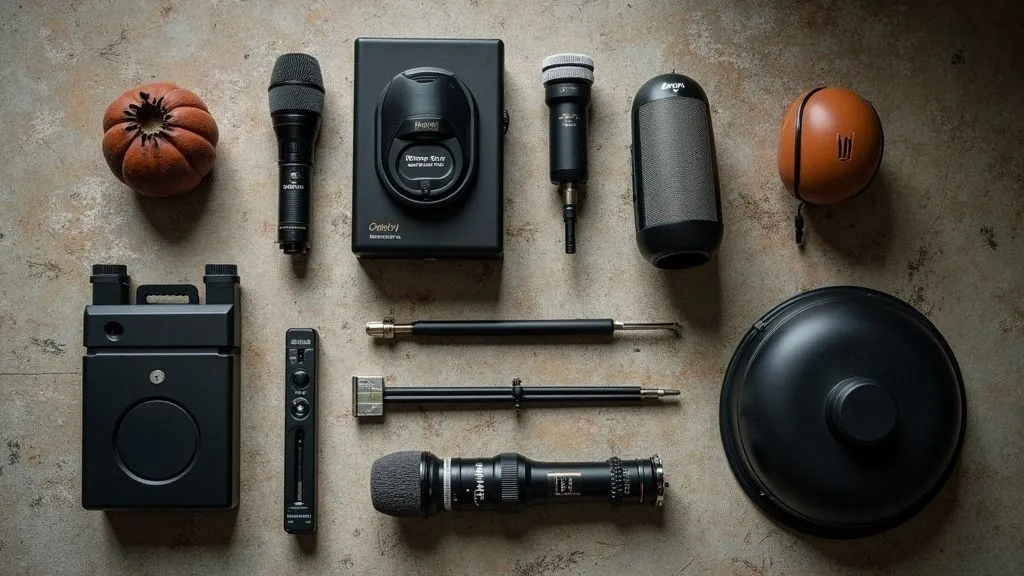
Drum mixing can often feel overwhelming, especially for those new to music production. However, with the right techniques and approach, you can achieve a polished sound using just eight microphones. This article will break down a simple yet effective method for mixing drums, complete with a video tutorial to help you visualize the process.
Understanding the Basics of Drum Mic Placement
Before diving into the mixing process, it’s essential to understand how to properly mic a drum kit. Using eight microphones gives you enough room to capture the essential elements without cluttering the mix. Here’s a common setup:
- Kick Drum (1 mic): Place a dynamic microphone inside the kick drum for the best low-end capture.
- Snare Drum (1 mic): A dynamic microphone placed on the top of the snare captures the attack and body.
- Hi-Hat (1 mic): A small diaphragm condenser can be placed above the hi-hat to record its crisp sound.
- Overheads (2 mics): Two condenser microphones should be placed above the kit, spaced equally to capture the cymbals and overall kit ambience.
- Toms (3 mics): Use dynamic mics or small diaphragm condensers for the rack and floor toms. One mic for each tom will ensure distinct sound capture.
For more in-depth information on mic types and placements, you can refer to Wikipedia’s article on microphone technique.
Preparing Your DAW for Mixing
After recording, it’s time to start mixing your drum tracks. Here’s a simple workflow you can follow in your Digital Audio Workstation (DAW):
- Import all drum tracks: Create a new session and import the recordings from your eight mics.
- Label each track: This helps maintain organization and makes it easier when applying effects.
- Gain staging: Adjust the levels on each track to avoid clipping and ensure a clean mix.
The Mixing Process
Balancing Levels
Begin by balancing the levels of each track. Start with the kick drum, as it provides the foundation of the drum mix. Gradually bring in the snare, ensuring it complements the kick. The hi-hat and overheads should fill out the mix without overpowering the core elements.
Panning for Space
Panning is essential to create a sense of space in your mix. Here’s a suggested panning layout:
- Kick: Center
- Snare: Center
- Hi-Hat: Slightly to the right (10-20%)
- Overheads: Left and right (hard panned or slightly less)
- Toms: Rack tom to the left (30%), floor tom to the right (30%)
This arrangement not only provides clarity but also simulates a natural drum kit layout. For more advanced panning techniques, you might find it helpful to consult resources like Sound on Sound.
Adding EQ
Equalization (EQ) is crucial for enhancing your drum sounds. Here are some general guidelines:
-
Kick Drum: Boost around 60-80Hz for thump and cut mids around 300-500Hz to reduce muddiness. A gentle boost around 3-5kHz can enhance the click.
-
Snare Drum: Boost around 200Hz for body and cut around 400Hz if it sounds boxy. A boost around 5-8kHz can add snap.
-
Hi-Hat: Cut some low frequencies below 200Hz to clean up the sound, and boost around 8-12kHz for brightness.
-
Overheads: Use a high-pass filter to remove unnecessary low frequencies and boost around 10-15kHz for airiness.
Compression Techniques
Compression helps control dynamics and add punch to your drums. Here’s how to use it effectively:
-
Kick Drum: Use a fast attack time (around 10ms) and a medium release (around 50ms). This will tighten up the kick while allowing the initial attack to punch through.
-
Snare Drum: A medium attack time (20-30ms) can let the snap through, while a faster release (around 40ms) can help maintain a natural feel.
-
Overheads: Use gentle compression to maintain dynamics but avoid squashing the sound. A lower ratio (2:1) works well here.
Reverb for Depth
Reverb can add depth to your drum mix. However, it’s critical to use it sparingly:
-
Snare: A short reverb can add space without washing out the sound. Consider using a plate reverb with a decay time of around 1-2 seconds.
-
Overheads: A subtle ambience can be achieved with a longer reverb tail to simulate the room sound.
Final Touches
Once you’ve balanced the levels, EQ’d, compressed, and added reverb, give your mix a final listen. Here are a few points to consider:
-
Listen at different volumes: This helps ensure that your mix translates well across various playback systems.
-
Reference tracks: Compare your mix to professional drum mixes to gauge how your levels and sounds stack up.
-
Take breaks: Stepping away allows your ears to reset, making it easier to spot issues when you return.
Video Tutorial: Mixing Drums with Eight Mics
To see the techniques discussed in action, watch our detailed video tutorial. It walks you through the entire mixing process, from mic placement to final touches. You can find it here.
Conclusion
Mixing drums with eight microphones doesn’t have to be a daunting task. By understanding the fundamentals of mic placement, using effective mixing techniques, and applying the right effects, you can achieve a professional-sounding drum mix. Remember, practice makes perfect, so keep experimenting with different settings until you find what works best for your sound. Happy mixing!